BeatTutor turns a groove into a practice loop
An independent mobile-first drum practice app that connects a visible beat pattern to audio playback and repeat practice.
Get from browsing to playing
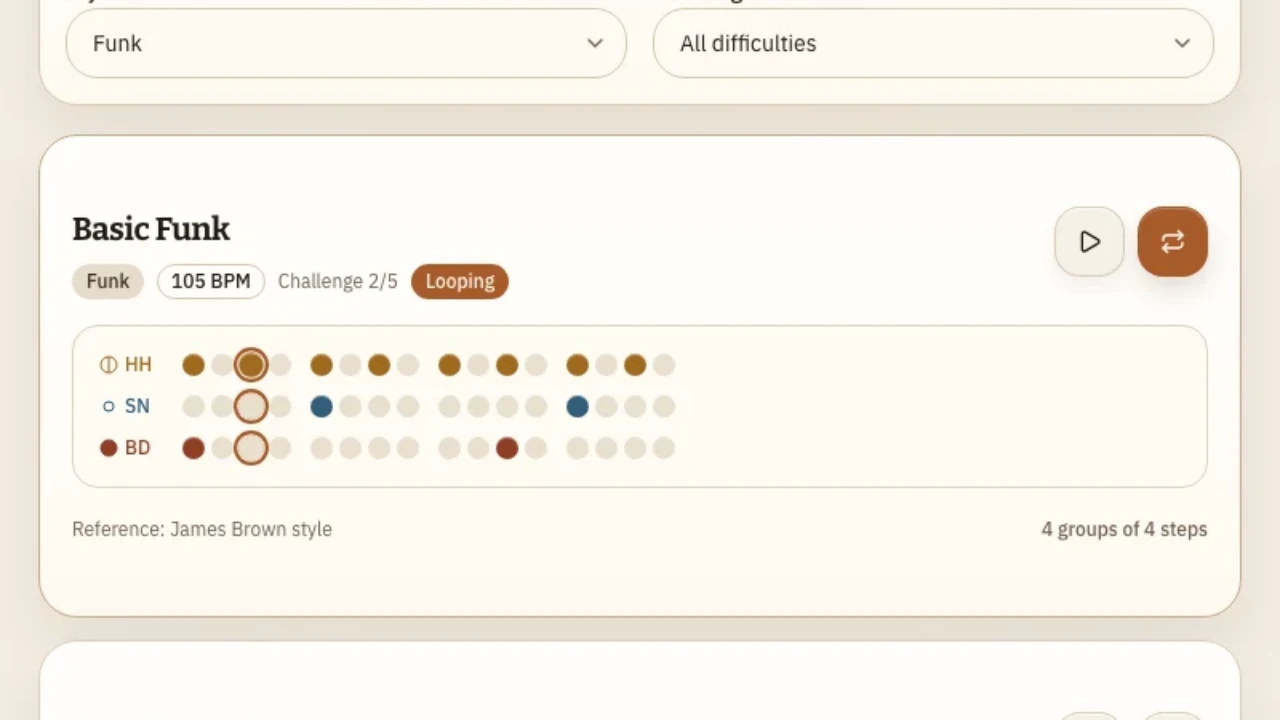
I built BeatTutor for short drum practice sessions. A drummer can filter grooves by style and difficulty, see the kick, snare, and hi-hat pattern, and start playback from the groove itself.
The interaction I wanted to get right was the handoff from hearing a beat to trying it. A single play-through lets a drummer sample the groove. Looping lets them stay with it while they practice, with the current step highlighted alongside the audio.
Keep sound and controls in sync
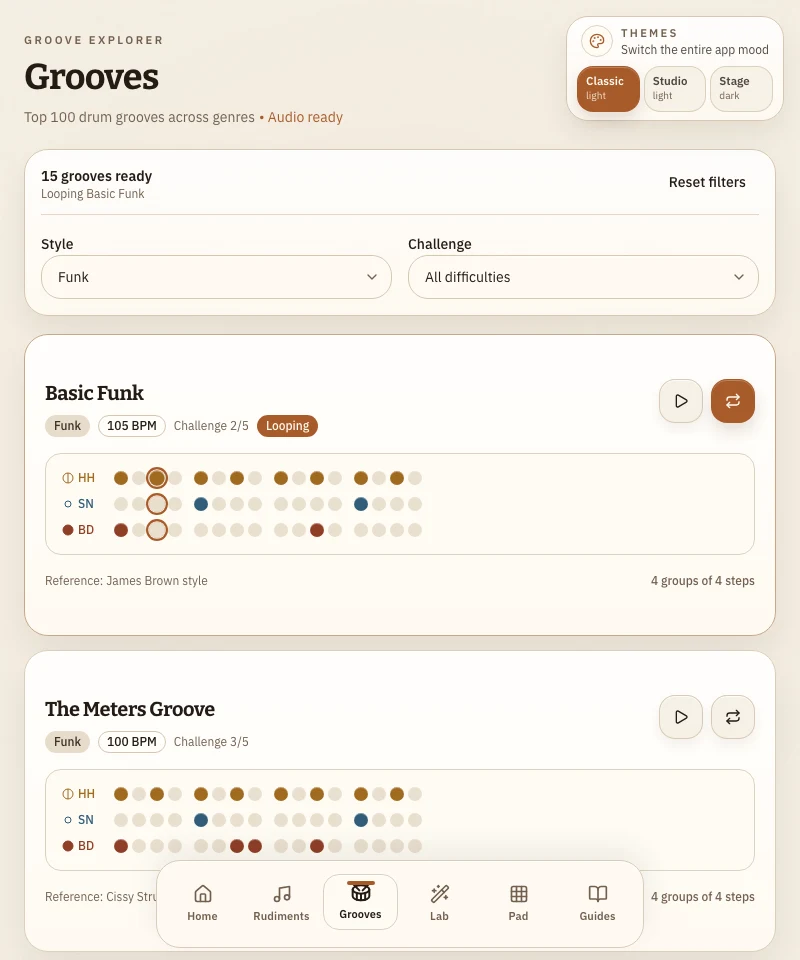
Playback belongs to the groove the drummer selected. Starting another groove stops the previous one. Changing filters stops a playing groove if it disappears from the results. That keeps the sound tied to a control the drummer can still see and use.
The browser needs a user action to enable sound. BeatTutor handles that at the point of playback. The Web Audio engine schedules the hits and supplies synthesized drum sounds when recorded samples are unavailable. The practice flow can run with either sound source.
Walkthrough with app audio
Read the walkthrough
- Open Grooves and filter to Funk.
- Start looping Basic Funk at 105 BPM. The audio is the app’s repeating kick, snare, and hi-hat pattern.
- Follow the highlighted step across the three rows. Use the same loop control to stop.
What the verification showed
In Chromium, the Basic Funk loop produced audio and showed the active step on the grid. Stopping cleared the highlight and restored the Loop control.
A drummer study would test how easily people find loop mode, follow the pattern for several repetitions, and stop it when they are done.