ClassLink Launchpad Prototype
I designed and built three layouts for ClassLink's K-12 app portal, with a simpler app surface for early learners and customizable layouts for older students and teachers.
- My contribution
- Layout and interaction design, customisation controls, and Angular prototype implementation.
- Status
- Hosted prototype inspected November 18, 2026. Primary hides app-add and folder-rearrangement controls but still exposes Preferences. Participant validation remains open.
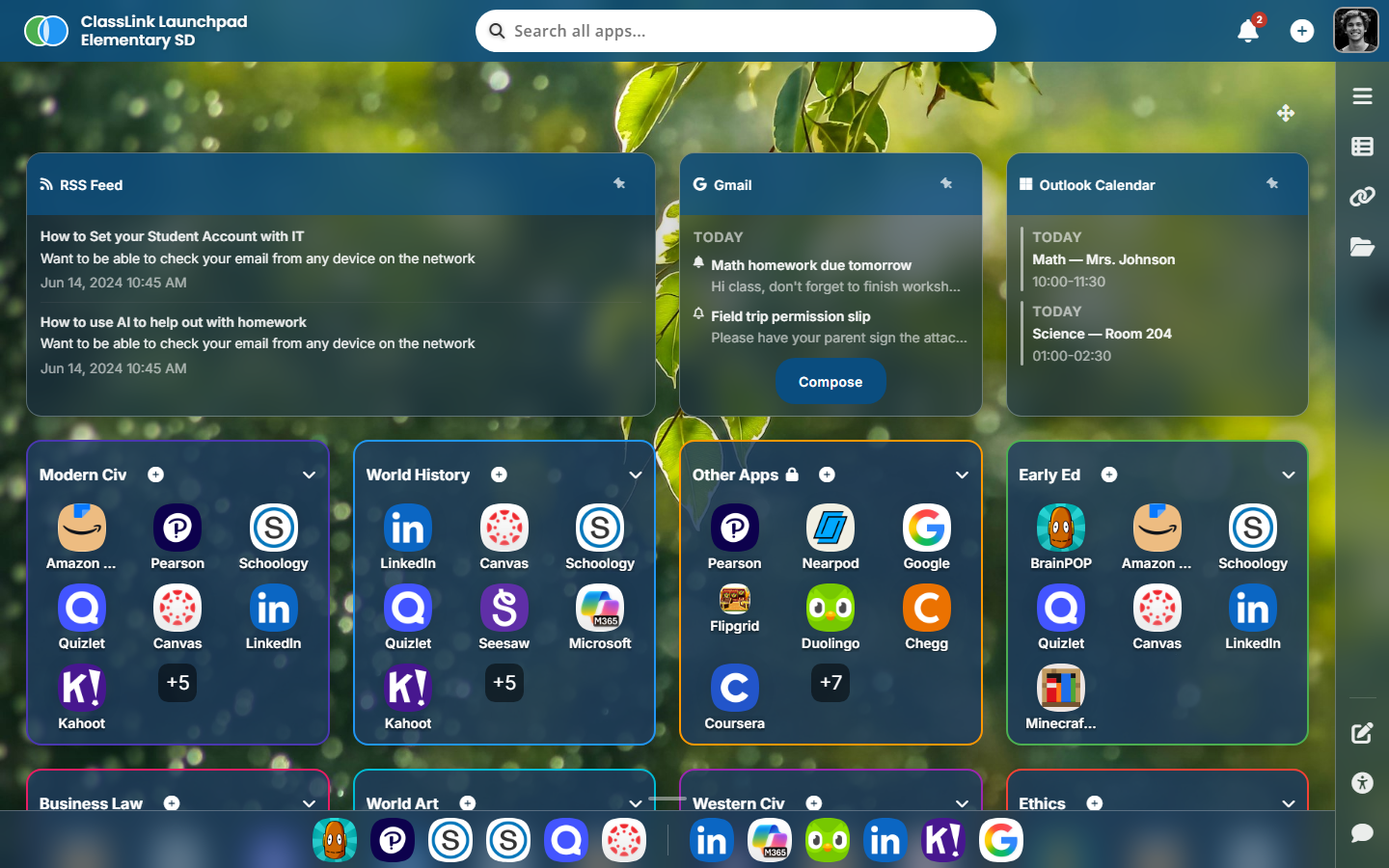
Three layouts for one school portal
The existing LaunchPad gave a second grader and a high-school junior the same app grid. I separated the layouts by age and task while keeping a shared foundation for apps, folders, and drawers.
Evidence and next steps
- Evidence so far
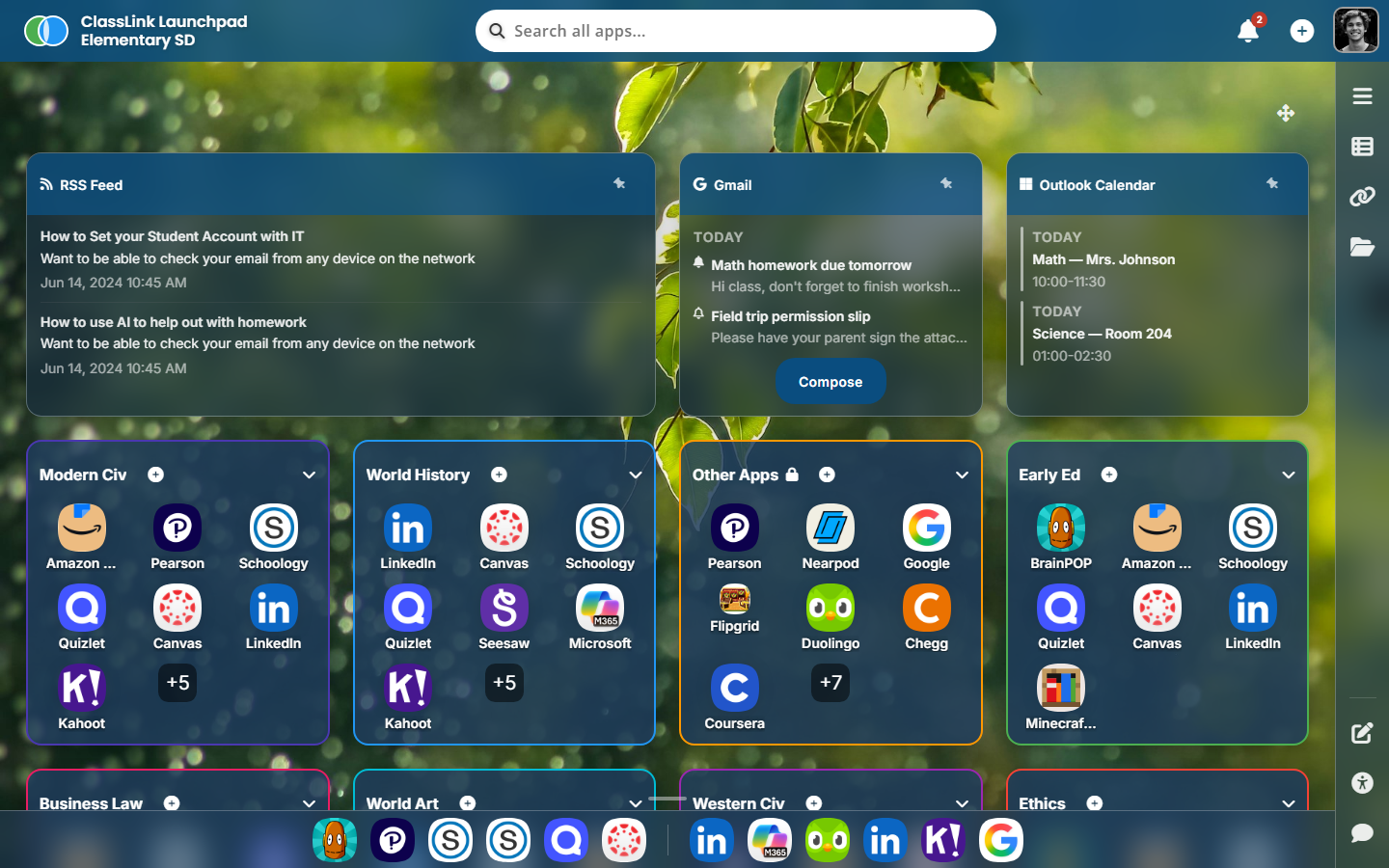
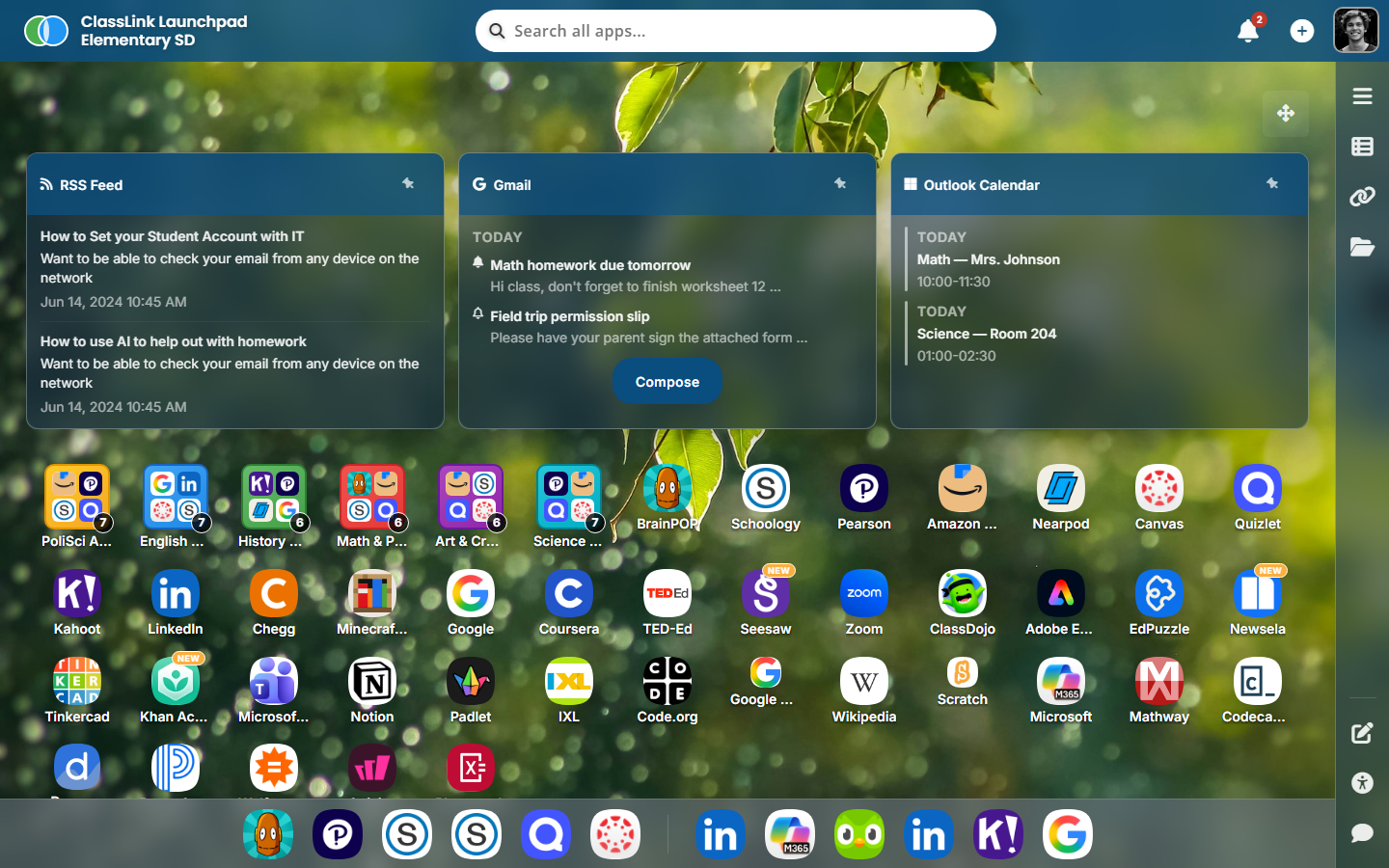
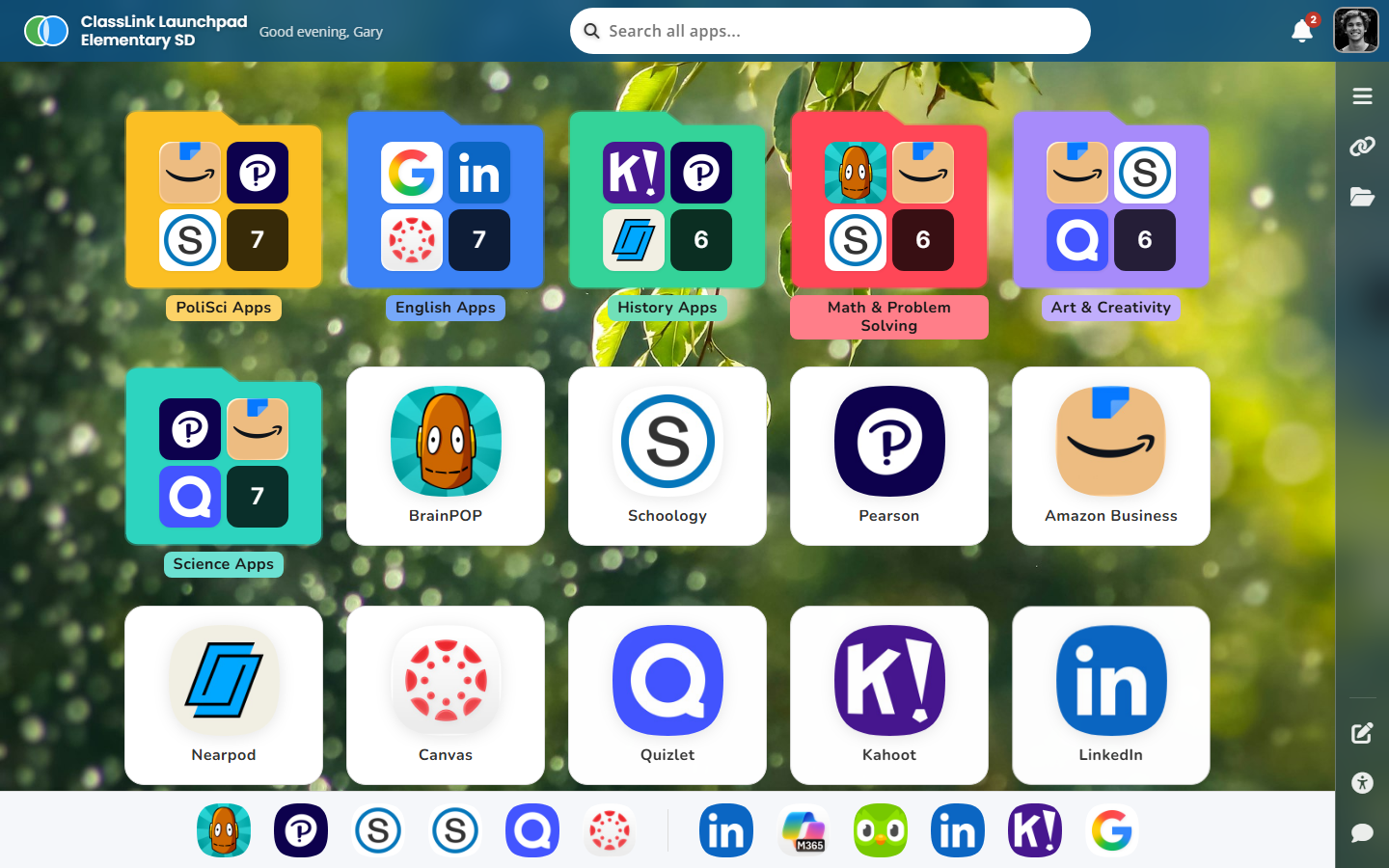
- The hosted preview exposes Dynamic, Classic, and Primary settings. Search responded to Quizlet and Clear search restored the initial view. Primary hides Add application and Rearrange folders while retaining Preferences.
- Not yet tested
- App launch destinations, drag-and-drop outcomes, full keyboard operation, role-based configuration permissions, and participant outcomes.
- Next test
- Run live tasks with students and teachers: find an app, open and close a drawer, and explain what can be changed in each layout.
The people behind the layouts
The Launchpad persona document describes ten roles across school and home use. Three scenarios make the layout choices concrete.
- Mateo, a first grader on a shared Chromebook, recognizes icons faster than app names. An accidental drag can lose his place. That scenario gives Primary’s large targets and restricted editing a purpose.
- Ms. Carter, teaching from a smartboard, needs the class to follow her actions from across the room. Readability and predictable navigation matter both on her laptop and on the projected screen.
- Jordan, a district IT admin who uses the keyboard and NVDA, needs to configure layouts and reproduce reported problems. A visible control needs a keyboard path and an accessible name.
These are documented design personas. They frame the intended experience and the tasks to validate with participants.
The intended distinction between layouts
Dynamic gives older students and teachers control over their workspace. The Primary design reduces organization controls on the app surface and uses larger targets for younger pupils. In the inspected preview, Preferences remains accessible through Edit. Teacher-only configuration and a fully read-only student role still require verification. Classic retains a familiar app grid for schools moving from older portals.
The trade-off is maintaining three layouts instead of one. Shared UI state and design tokens keep the common behaviours together while the layout changes for each context.
What’s actually built
Archived implementation account
The following describes the earlier implementation account. The matching source for the current hosted version was unavailable in this audit, so framework internals and blanket architecture claims remain unverified.
I used /lp-portals-design for the visual direction and /design-flow for orchestration.
The prototype uses signals and computed values for UI state, with no RxJS in the view layer.
Shared architecture
core/— data services, layout strategies, models. Signals all the way down.features/launchpad/— the grids and the LaunchpadStore (root-provided, signal-based,OnPusheverywhere)shared/— eight drawers, sidebar, customization service
The store is one root-provided signal class. No BehaviorSubject, no combineLatest, no
async pipe in templates. Everything that needs to react reads a computed(); everything that
needs to mutate calls a method on the store. Components use OnPush change detection.
A closer look at moving an app
The May 6, 2026 flow document follows an app from the App Library drawer into a folder, category, or favorites bar. It describes the feedback at each point in that move.
- Pick up. A grab cursor signals that a library tile can move. After movement begins, a lifted preview follows the pointer and a live region announces the app name.
- Find a destination. Eligible targets highlight as the pointer enters. The target determines whether the app joins a folder, changes category, or becomes a favorite.
- Explain a blocked move. A locked category rejects the drop with a toast and a live announcement. The preview returns to its source.
- Cancel. Escape or a drop outside a connected destination returns the preview without applying a change.
This gives the case study a specific interaction to examine alongside the layout system. The same document records gaps in keyboard reordering and undo after removal. Live announcements support feedback, while a complete keyboard path still needs verification.
What the age review challenged
The April 10, 2026 age-adaptation report found a mismatch within Primary. Its colorful cards and simple launch action suited younger learners, while its surrounding navigation included icon-only controls, smaller text, and terms such as “Theme Preferences” and “Accessibility Tools.”
That finding extends the design question beyond larger app tiles. Primary also needs navigation and language children can understand. A focused study would ask a young student to find an app and return home, then ask a teacher to configure the view. It would test whether each person can recognize which controls belong to their task.
Live demo
The iframe loads the hosted prototype. Some browsers block third-party iframes — if it’s empty, use the “Open ↗” link to view it in a new tab.
What I would validate next
- Primary’s full navigation. Test app finding, folder use, and returning home with young students. Check how teachers configure the view before presenting it to a class.
- Keyboard access to organization. Verify how a keyboard user adds, moves, and removes an app, including feedback and recovery after a mistake.
- Drawer state. Check opening a second drawer, closing with Escape, and returning focus to the initiating control.
- Layout persistence. Check whether a user can predict which preferences carry between sessions and devices.
Project sources and scope
- PRD — ClassLink Launchpad Protoapp, updated April 14, 2026. Establishes the K–12 SSO portal, three layouts, customization, and accessibility goals.
- Launchpad Personas. Describes ten student, teacher, administrator, and family scenarios across devices and access needs.
- UX Flow — Drag an app from the App Library to the dashboard, May 6, 2026. Documents the movement flow, rejected drops, cancellation, and keyboard and undo gaps.
- Age-Adaptation Detection Report — ClassLink LaunchPad, April 10, 2026. Records the mismatch between Primary’s content area and surrounding navigation.
- Interview Talking Points — Launchpad Protoapp and Interview Talking Points — DnD Flow. Supply retrospective design rationale.
The notes cover several prototype iterations. Their layout names, grade ranges, and drag behavior vary. The dated observations above provide context for the design decisions. Current deployment behavior and participant outcomes require direct validation.
Verification update
On November 18, 2026, the hosted preview returned a result count for a Quizlet search, exposed three layout choices, and switched from Dynamic to Primary and back. Primary removed Add application and Rearrange folders from the visible controls. Edit still opened Preferences in Primary.
The sample app links inspected pointed to the prototype’s own hash destination. Opening real school applications is therefore outside the behavior established by this check. Drag cancellation, blocked moves, keyboard reordering, screen-reader announcements, and cross-device persistence remain to verify.