Lifeboard keeps a personal brief private
An independent local dashboard with a focused Today list, clear refresh states, and a Household view that receives only explicitly shared information.
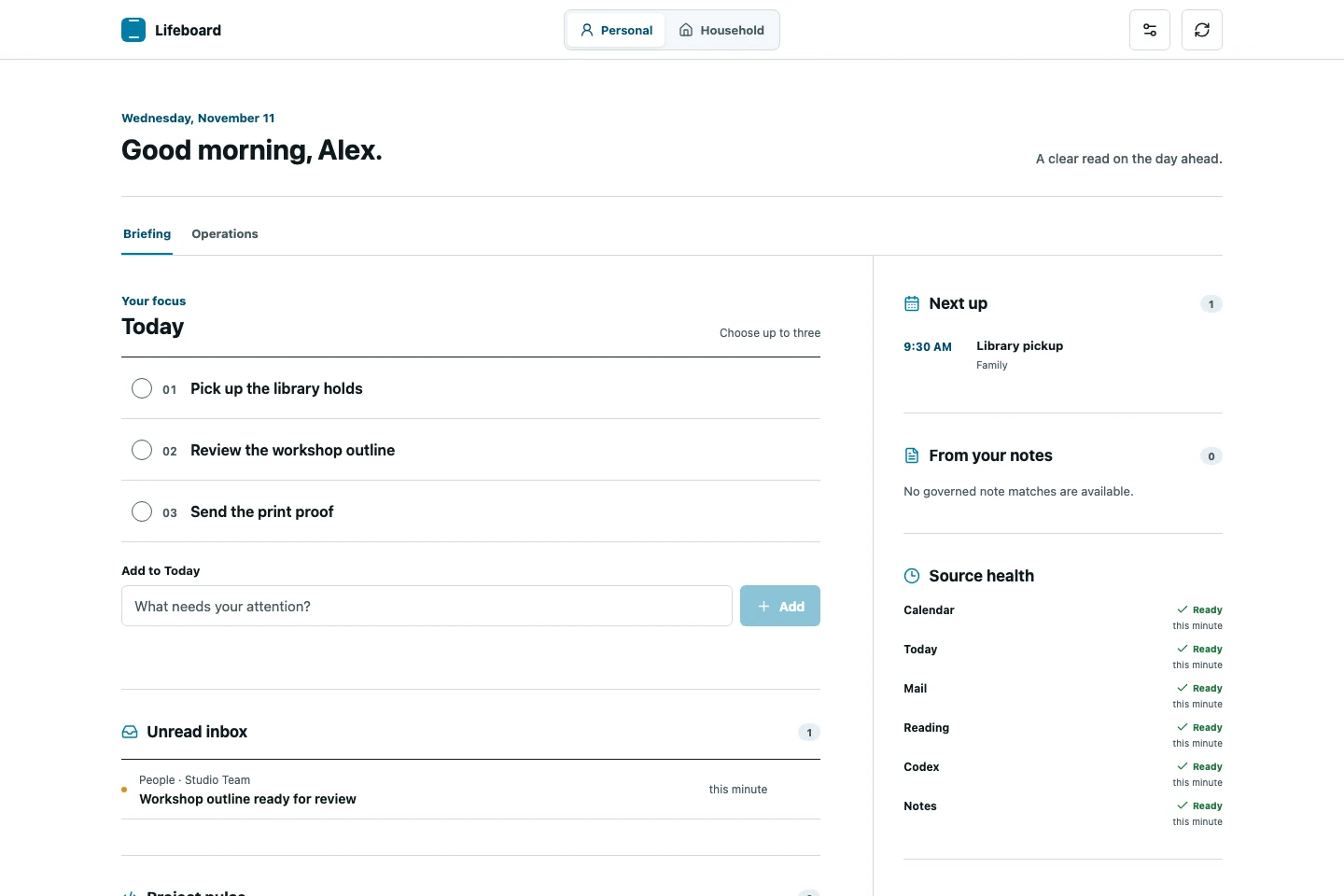
One brief with two audiences
I built Lifeboard to answer a small morning question: what needs my attention today? It brings recent mail, reading, project activity, and notes into a local dashboard. The editable Today list has room for up to three active items. The connected sources are read-only.
Household needed a different answer. Shared plans and tasks belong there, and opening the view should be safe when someone else is looking at the screen.
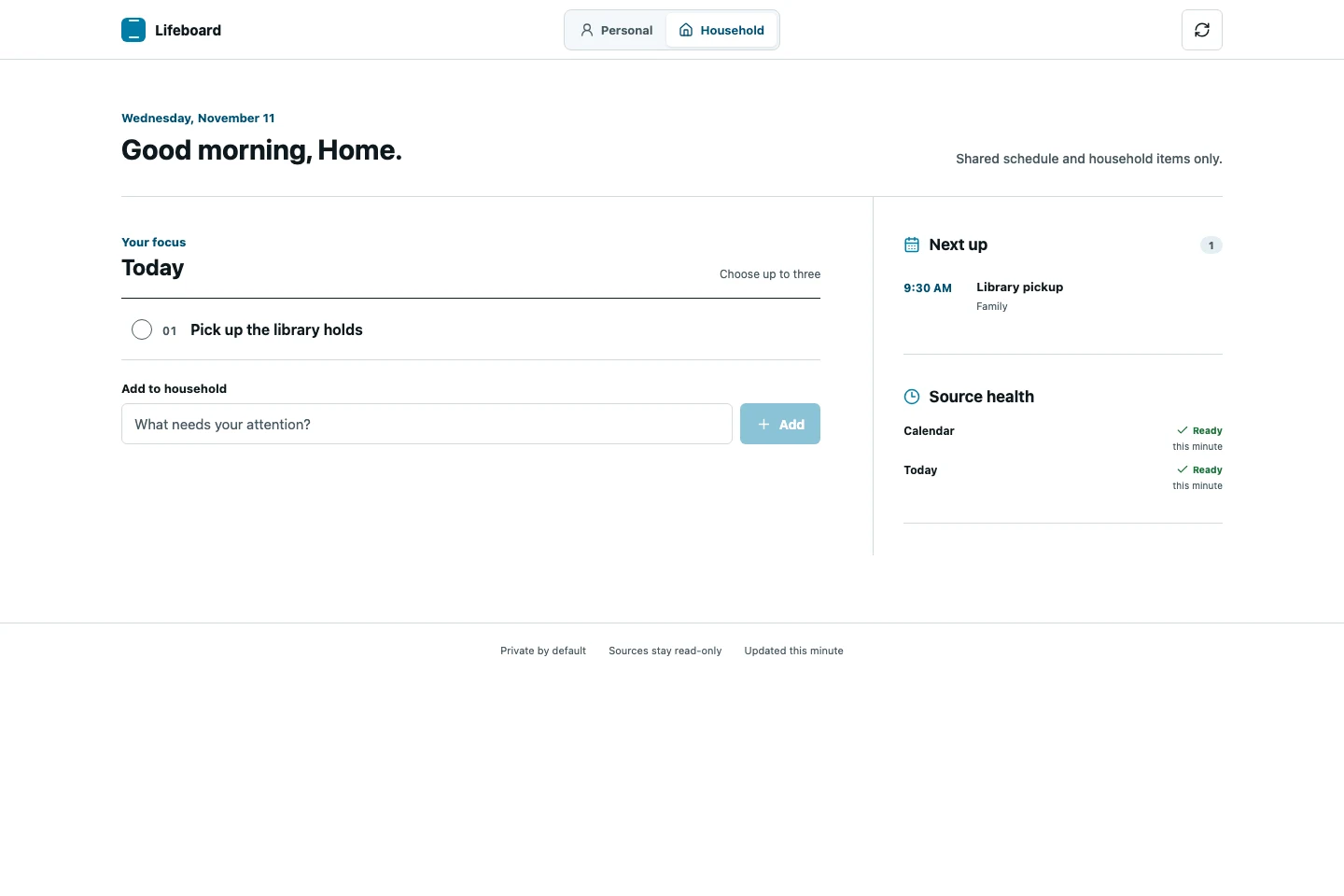
Design the share boundary into the response
The Household request can return two types of information: events from calendars explicitly allowed for that view and Today items explicitly shared with it. Personal mail, reading, project activity, notes, and home-server checks use a separate request. The Household request never calls those sources.
That boundary matters at the data layer. The Household screen only receives information it can display. Adding another Personal source therefore leaves the shared response unchanged.
Show what a refresh actually found
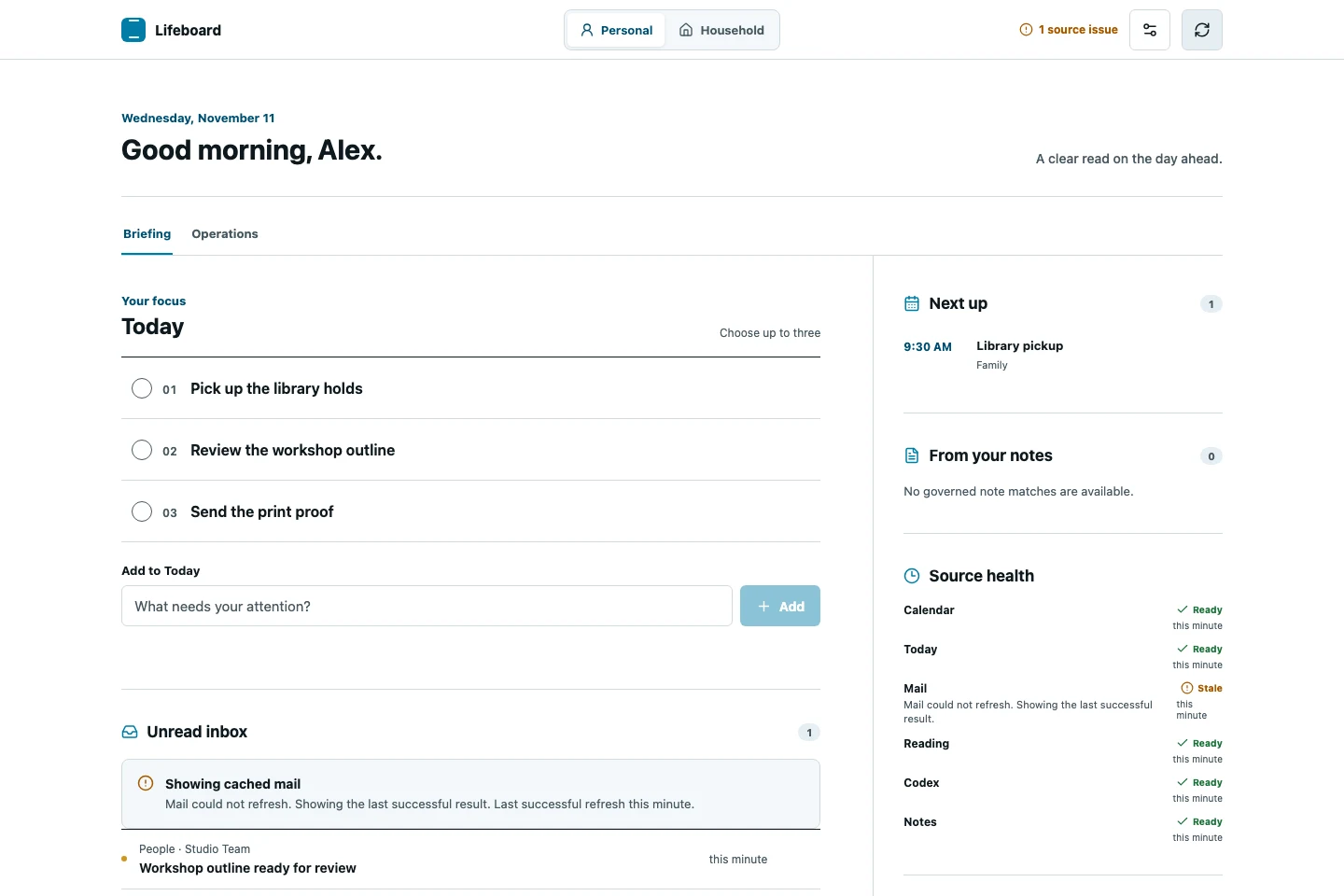
An empty inbox and a failed inbox refresh can look the same in a dashboard. Lifeboard gives each source a status. If a refresh fails and there is a cached result, the dashboard keeps the last successful data and marks it stale. A calendar that still needs setup appears as disconnected.
The optional AI insight follows the same approach. It runs on request, using selected source fields. The regular brief stays available if the insight fails.
Walkthrough with fictional data
Read the walkthrough
- Open Personal to see three Today tasks and a sample workshop email.
- Refresh. The sample mail source returns a stale state. The previous message remains under Showing cached mail.
- Switch to Household. The shared library pickup event and task are visible. Personal tasks and the inbox are absent.
What the verification showed
All 25 tests passed, including checks that Household excludes private payloads and skips private adapters. A refresh test also confirmed that Lifeboard retains the last successful Spark data after a failure. The browser walkthrough used fictional responses to show how the interface presents those states.
A household study would test whether people can tell what is safe to share and whether they recognize when a source is out of date.